Theme Documentation - mermaid Shortcode
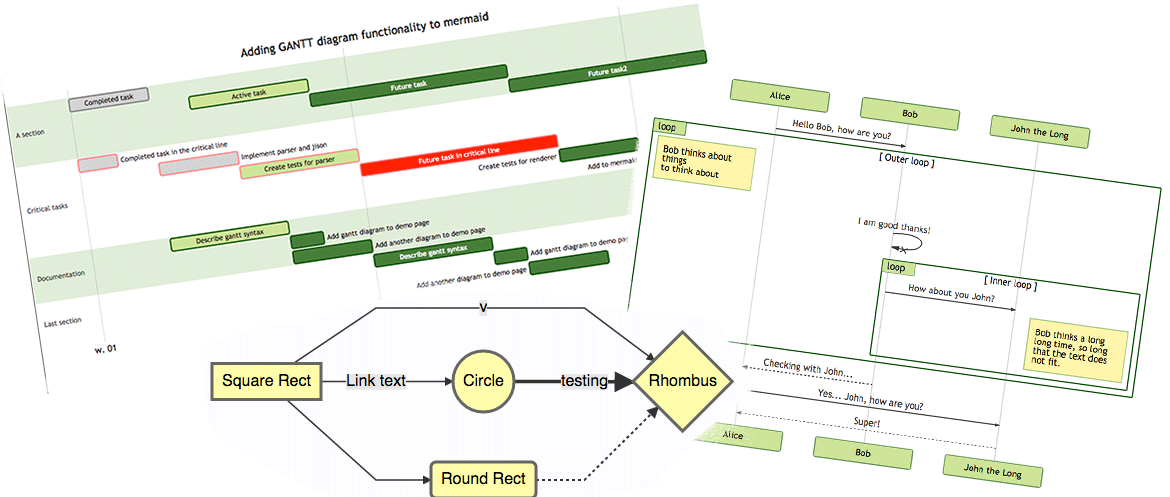

The mermaid shortcode supports diagrams in Hugo with the Mermaid syntax.
Mermaid is a library helping you to generate diagram and flowcharts from text, in a similar manner as Markdown.
Just insert your mermaid code in the mermaid shortcode and that’s it.
A fenced code block with the mermaid language is rendered as a diagram too. This is controlled by [params.page.code.render] mermaid in the site configuration (enabled by default) and can be overridden per page with code.render.mermaid in the front matter.
```mermaid
graph LR;
    A[Hard edge] -->|Link text| B(Round edge)
```
Renderer
 Diagrams are rendered with Pele by default. Set
renderer in [params.page.mermaid] of the site configuration, or mermaid.renderer in the front matter of a page, to choose the renderer:
"pele": Pele is a small renderer for the Mermaid syntax. It loads much less JavaScript than Mermaid, draws faster, lays diagrams out again for narrow screens and offers zoom buttons when a diagram is shrunk to fit. Its colors follow the light and dark themes without drawing the diagrams again."mermaid": the Mermaid library.
[params.page.mermaid]
  renderer = "mermaid"
Each page loads only the library of its renderer. Pele supports the diagram types of Mermaid 12.1, with some differences:
Pele has its own layout engine and style, so diagrams do not look exactly like Mermaid’s. Mermaid themes do not apply; the theme sets the colors through CSS variables, which you can override in
assets/css/_custom.scss:.mermaid { --pele-accent: #c62f6c; } [theme=dark] .mermaid { --pele-accent: #ff7aa8; }Labels can’t contain HTML.
clickstatements open links, but JavaScript callbacks are ignored. Icons such asfa:fa-carare not drawn.Math (
$$...$$) in labels is typeset with KaTeX only on pages where KaTeX is loaded (seeparams.page.math). Elsewhere the TeX source is shown.A diagram that can’t be drawn shows the error in its place.
Choose "mermaid" if your diagrams rely on any of these.
The Mermaid renderer uses the Mermaid securityLevel set to strict, which disables click interactions and restricts HTML in labels. If you trust the diagram sources and need these features, set mermaidSecurityLevel = "loose" in [params.security] of the site configuration. Pele has no HTML labels or JavaScript callbacks, so this option has no effect on it, and a build warning reminds you to choose the Mermaid renderer.
Flowchart
Example flowchart mermaid input:
{{< mermaid >}}
graph LR;
    A[Hard edge] -->|Link text| B(Round edge)
    B --> C{Decision}
    C -->|One| D[Result one]
    C -->|Two| E[Result two]
{{< /mermaid >}}
The rendered output looks like this (should work both on the home page and on the single post page):
Sequence Diagram
Example sequence diagram mermaid input:
{{< mermaid >}}
sequenceDiagram
    participant Alice
    participant Bob
    Alice->>John: Hello John, how are you?
    loop Healthcheck
        John->John: Fight against hypochondria
    end
    Note right of John: Rational thoughts <br/>prevail...
    John-->Alice: Great!
    John->Bob: How about you?
    Bob-->John: Jolly good!
{{< /mermaid >}}
The rendered output looks like this:
Gantt
Example Gantt mermaid input:
{{< mermaid >}}
gantt
dateFormat  YYYY-MM-DD
title Adding GANTT diagram to mermaid
excludes weekdays 2014-01-10

section A section
Completed task            :done,    des1, 2014-01-06,2014-01-08
Active task               :active,  des2, 2014-01-09, 3d
Future task               :         des3, after des2, 5d
Future task2              :         des4, after des3, 5d
{{< /mermaid >}}
The rendered output looks like this:
Class Diagram
Example class diagram mermaid input:
{{< mermaid >}}
classDiagram
    Animal <|-- Duck
    Animal <|-- Fish
    Animal <|-- Zebra
    Animal : +int age
    Animal : +String gender
    Animal: +isMammal()
    Animal: +mate()
    class Duck{
        +String beakColor
        +swim()
        +quack()
    }
    class Fish{
        -int sizeInFeet
        -canEat()
    }
    class Zebra{
        +bool is_wild
        +run()
    }
{{< /mermaid >}}
The rendered output looks like this:
State Diagram
Example state diagram mermaid input:
{{< mermaid >}}
stateDiagram-v2
    [*] --> Still
    Still --> [*]
    Still --> Moving
    Moving --> Still
    Moving --> Crash
    Crash --> [*]
{{< /mermaid >}}
The rendered output looks like this:
Git Graph
Example git graph mermaid input:
{{< mermaid >}}
gitGraph
    commit
    commit
    branch develop
    checkout develop
    commit
    commit
    checkout main
    merge develop
    commit
    commit
{{< /mermaid >}}
The rendered output looks like this:
Entity Relationship Diagram
Example entity-relationship diagram mermaid input:
{{< mermaid >}}
erDiagram
    CUSTOMER ||--o{ ORDER : places
    ORDER ||--|{ LINE-ITEM : contains
    CUSTOMER }|..|{ DELIVERY-ADDRESS : uses
{{< /mermaid >}}
The rendered output looks like this:
User Journey
Example user journey mermaid input:
{{< mermaid >}}
journey
    title My working day
    section Go to work
      Make tea: 5: Me
      Go upstairs: 3: Me
      Do work: 1: Me, Cat
    section Go home
      Go downstairs: 5: Me
      Sit down: 5: Me
{{< /mermaid >}}
The rendered output looks like this:
Pie Chart
Example pie chart mermaid input:
{{< mermaid >}}
pie
    "Dogs" : 386
    "Cats" : 85
    "Rats" : 15
{{< /mermaid >}}
The rendered output looks like this:
Requirement Diagram
Example requirement diagram mermaid input:
{{< mermaid >}}
requirementDiagram

requirement test_req {
id: 1
text: the test text.
risk: high
verifymethod: test
}

element test_entity {
type: simulation
}

test_entity - satisfies -> test_req
{{< /mermaid >}}
The rendered output looks like this: